
WiiM Sound: Two-minute review
WiiM has been rapidly building a wireless, multi-room streaming ecosystem that competes directly with Sonos and Bluesound. The WiiM Sound is its first wireless smart speaker – an important milestone – and in typical WiiM fashion, it’s an impressive product with design and performance that rivals the best products in its class. However, unlike its previous products, which delivered these attributes for less than the competition, the WiiM Sound carries a premium price.
Is it one of the best wireless speakers we've tested for sound, though? And crucially, is the WiiM Sound the speaker to build a new multi-room audio system with? Read on…
WiiM Sound review: Price & release date
- Released October 28th, 2025
- Priced $299 / £299 / €349 (AU$499 approx.)
The price of the WiiM Sound is $299 / £299 / €349 (AU$499 approx) and it's not hard to see that its nearest and most relevant rivals are the either the Sonos Era 100, which costs $219 / £199 / AU$319 officially, (though at the time of writing has some tasty discounts – in the UK, it's currently £159) or the more powerful Sonos Era 300, which costs a more substantial $479 / £449 / AU$749.
So it sits squarely between the two, which is a smart choice. Also sitting here at this price point is the Apple HomePod 2, which is officially $299 / £299 / AU$479. How does the WiiM Sound stack up against the competition? That's precisely what we're here to work out…
WiiM Sound review: Specs
Swipe to scroll horizontally
Speaker drivers | 2x tweeters, 1x woofer |
Amplification | 3x Class D amps |
Dimensions | 5.7” x 5.7” x 7.5” (146 x 146 x 193 mm) |
Connectivity | Wi-Fi 6E, Bluetooth 5.3 (transmit and receive), 3.5mm line-in, 100 Mbps Ethernet |
Streaming support | WiiM Home app, DLNA, Google Cast, Tidal Connect, Spotify Connect, Roon Ready |
Voice assistant support | Amazon Alexa (via Voice Remote), compatible with Google Assistant |
Other features | Room Correction, WiiM multi-room control, WiiM 5.1 home theater, and stereo pair options, hi-res audio up to 24-bit/192kHz |
WiiM Sound review: Features
- Very good wired and wireless connectivity, 2-way Bluetooth, but no AirPlay
- Built-in 1.8-inch touchscreen display
- Room Correction via iOS or Android
I’m not sure why WiiM and Apple don’t see eye to eye, but the WiiM Sound is now the fourth new WiiM product to ship without Apple AirPlay support. Because it has Google Cast (and good native service support in the WiiM Home app), this omission only impacts one type of user: Apple device owners who want to stream Apple Music. If that’s you, there’s always Bluetooth as a fallback, but let’s agree this is much less convenient.
Still, that Bluetooth connection is versatile, letting you stream to the speaker or letting you connect a set of headphones so you can listen to the same audio privately.
As more people become interested in analog formats like vinyl, having a wireless speaker with a 3.5mm AUX input is handy. The WiiM Sound has one (and a dedicated Ethernet jack), something you won’t find on either the Sonos Era 100 (unless you buy an adapter) or on the Apple HomePod 2. WiiM’s feature-filled app even lets you set the pre-amplification level on the aux input so that it’s sufficiently loud for your source, without risking distortion.
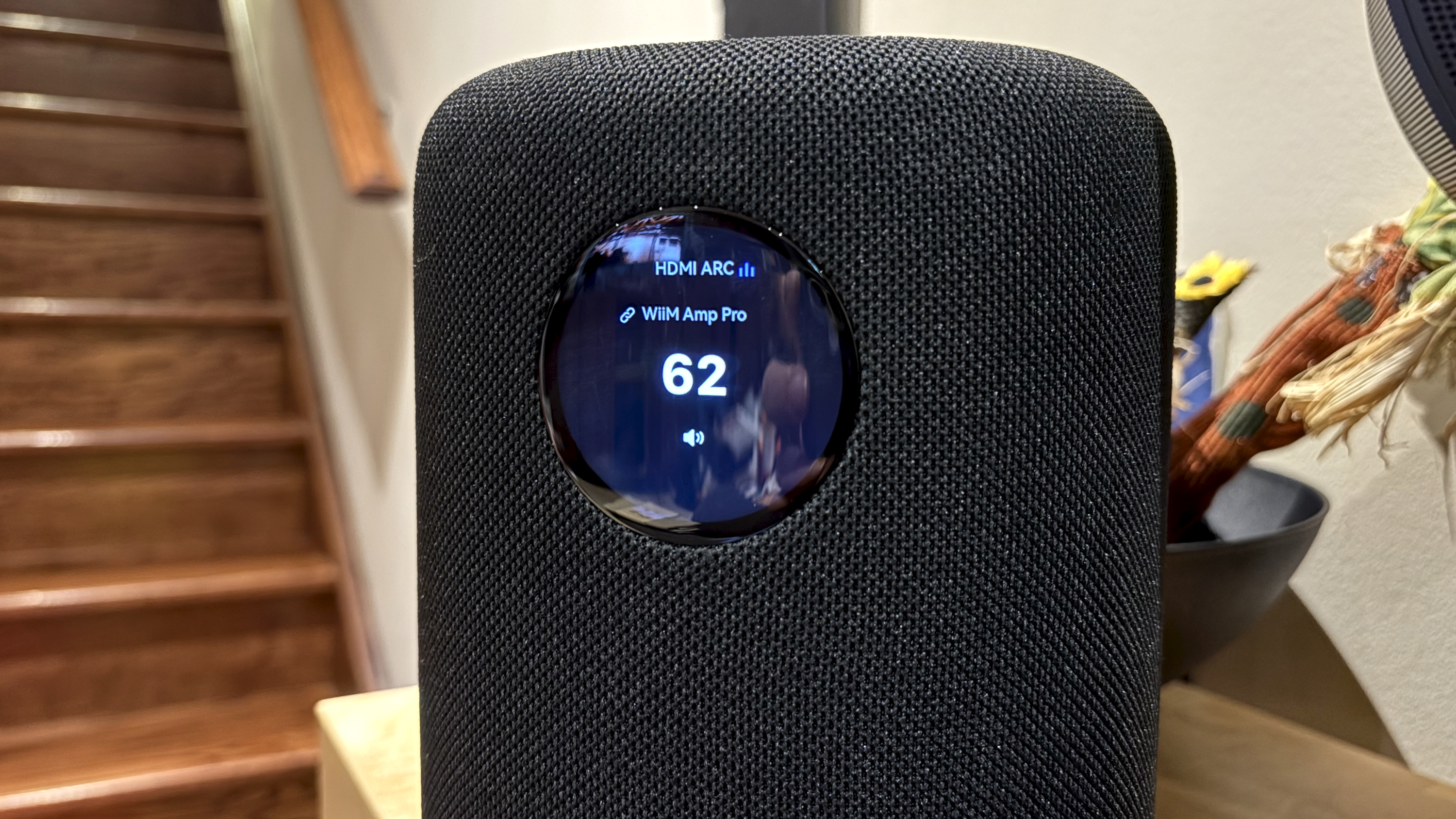
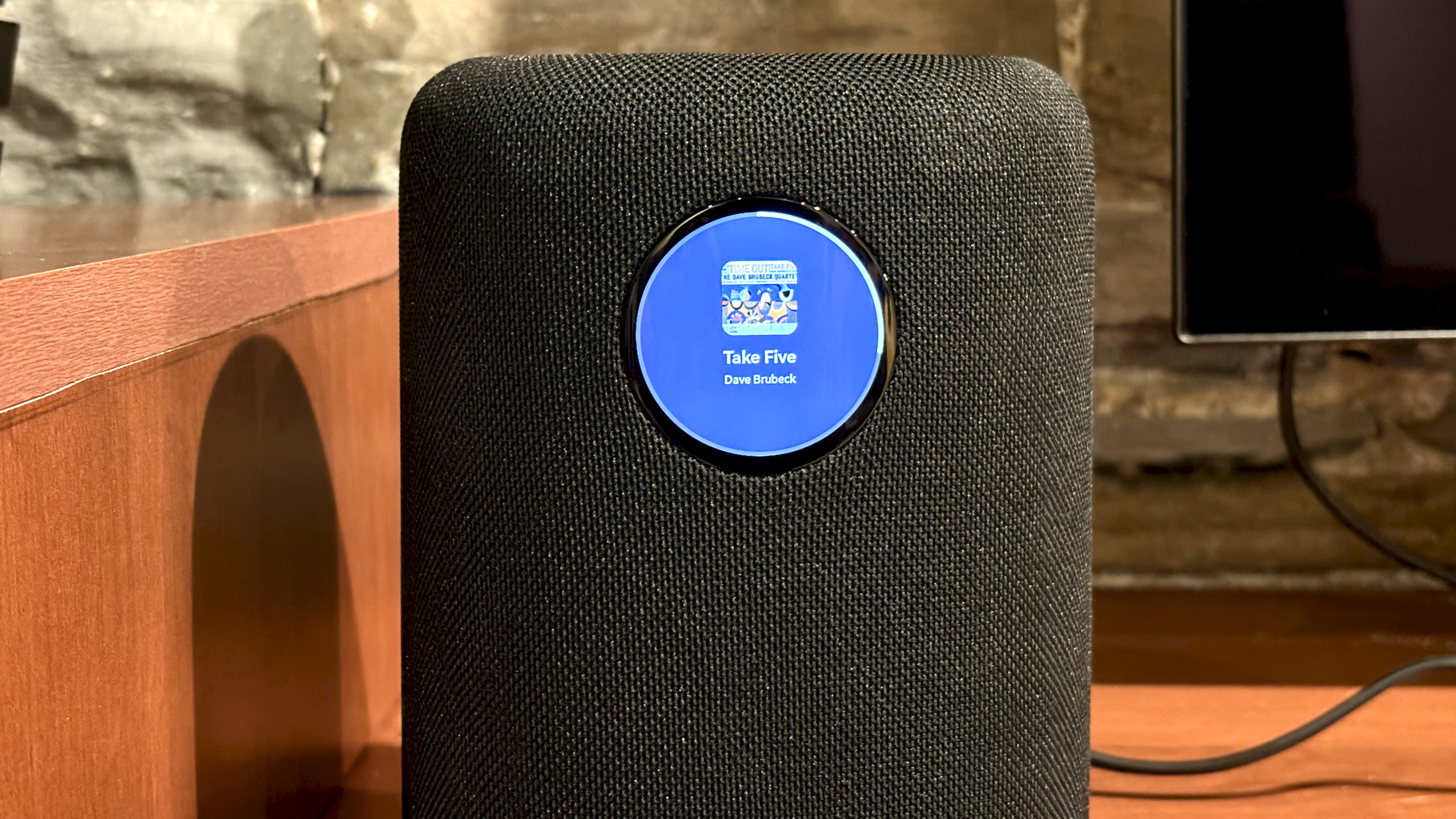
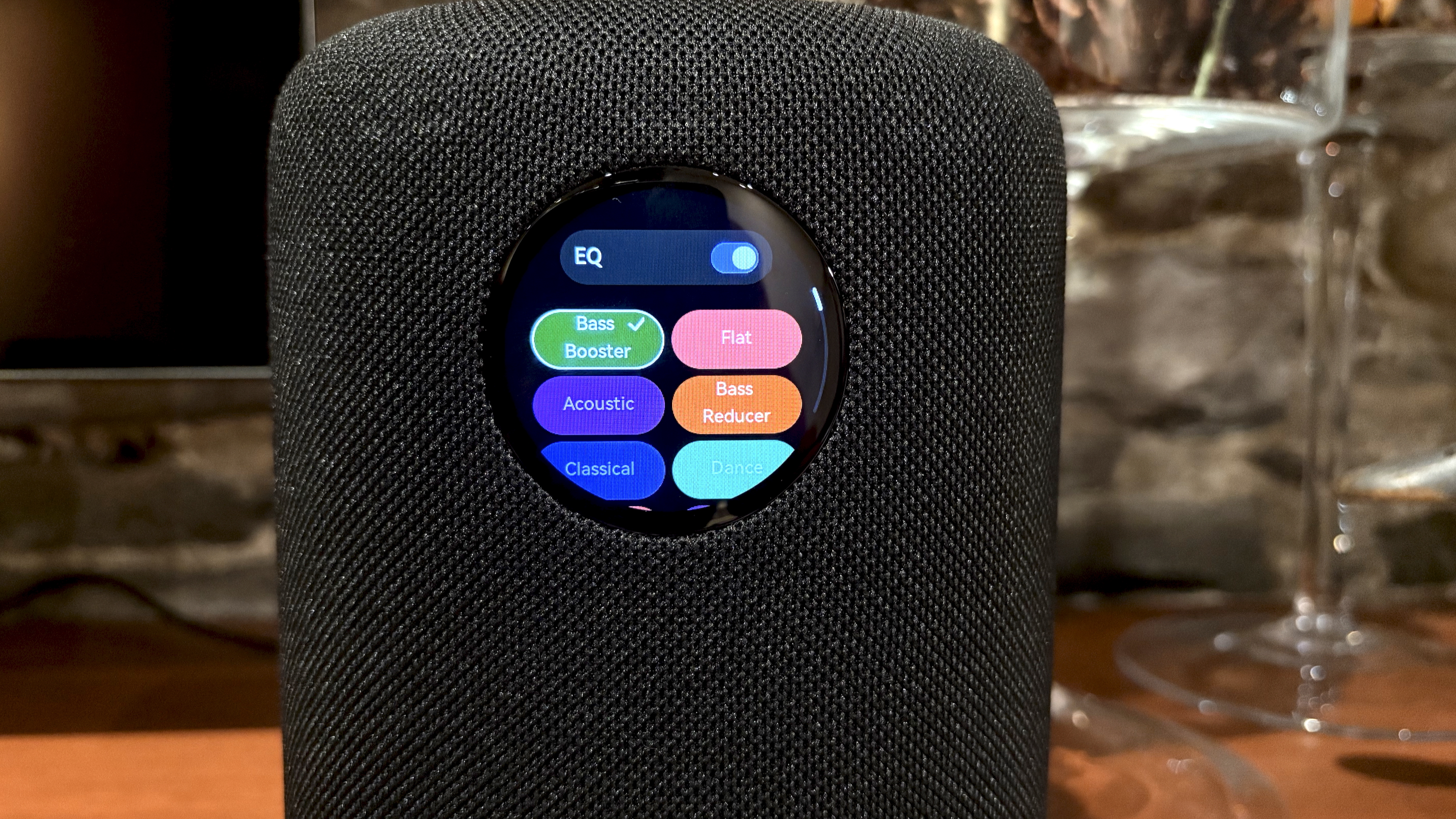
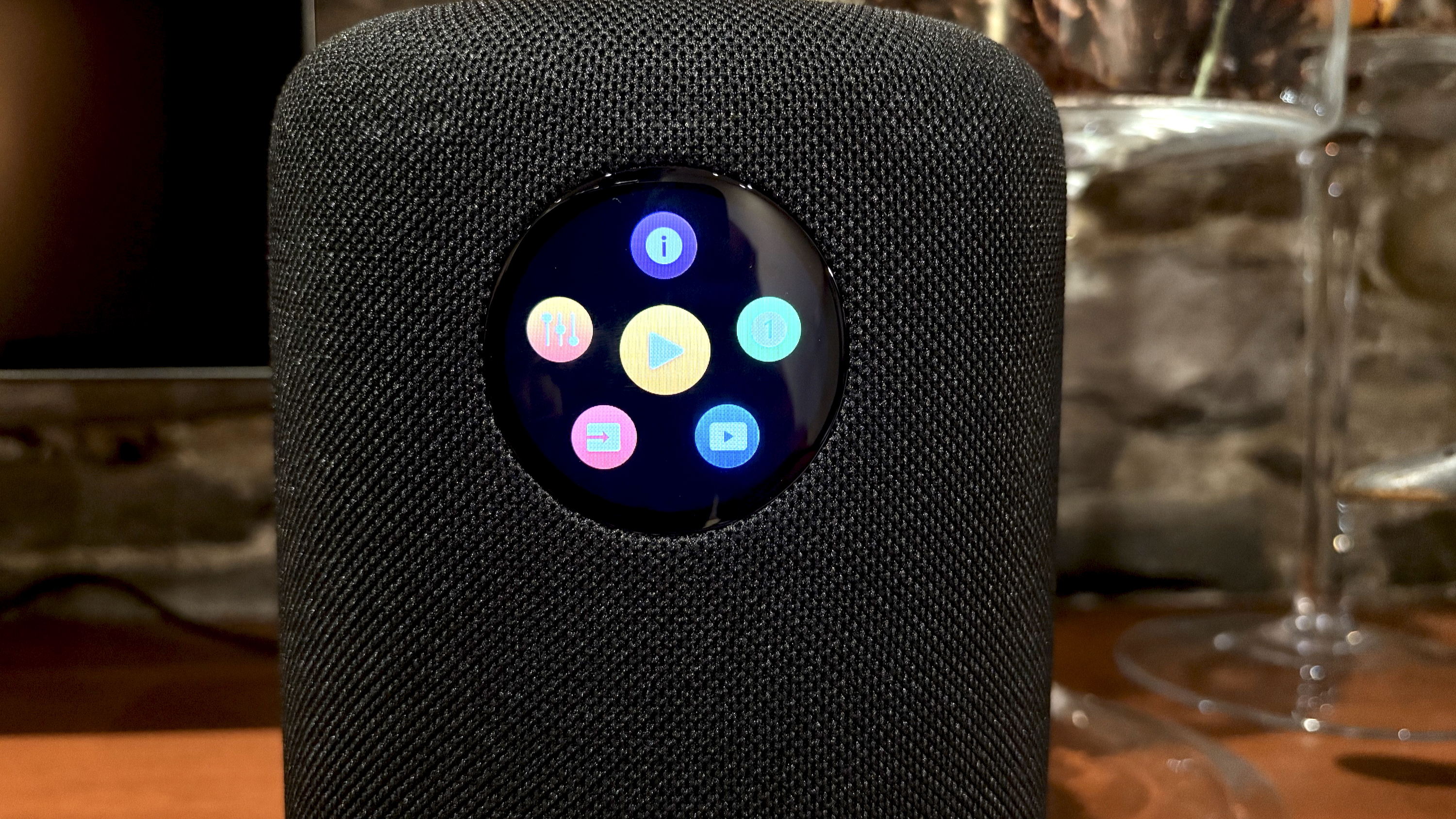
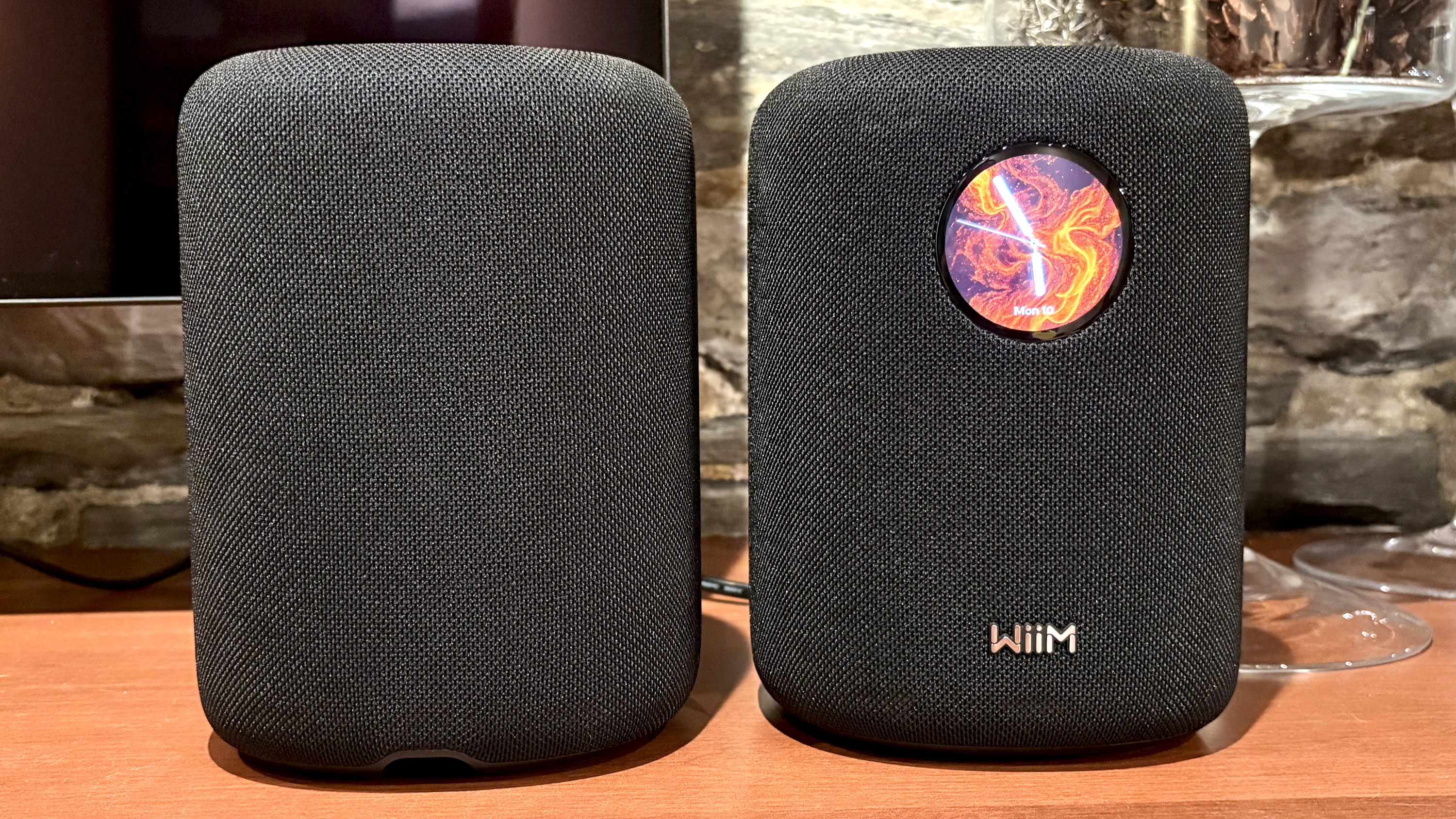
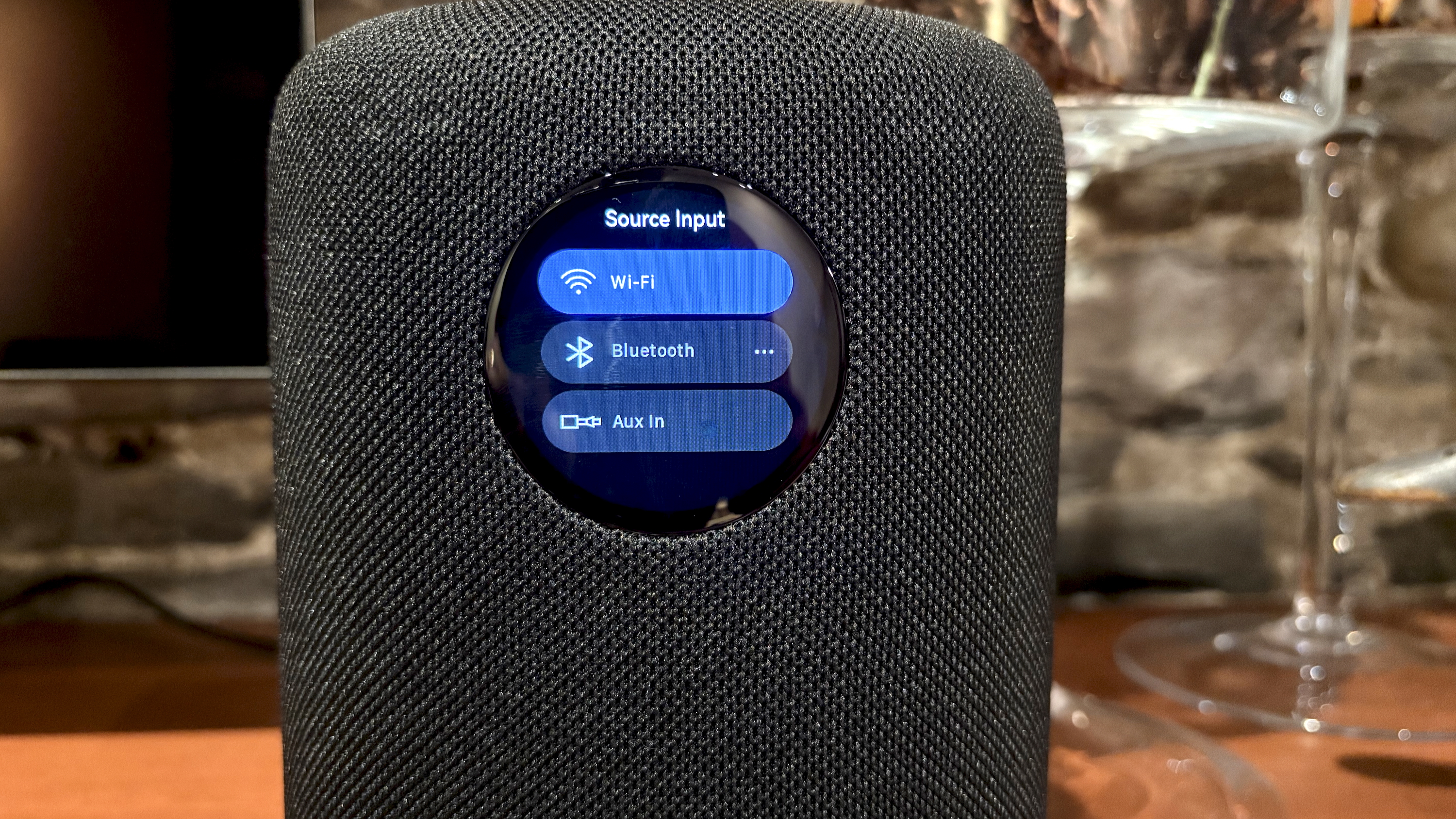
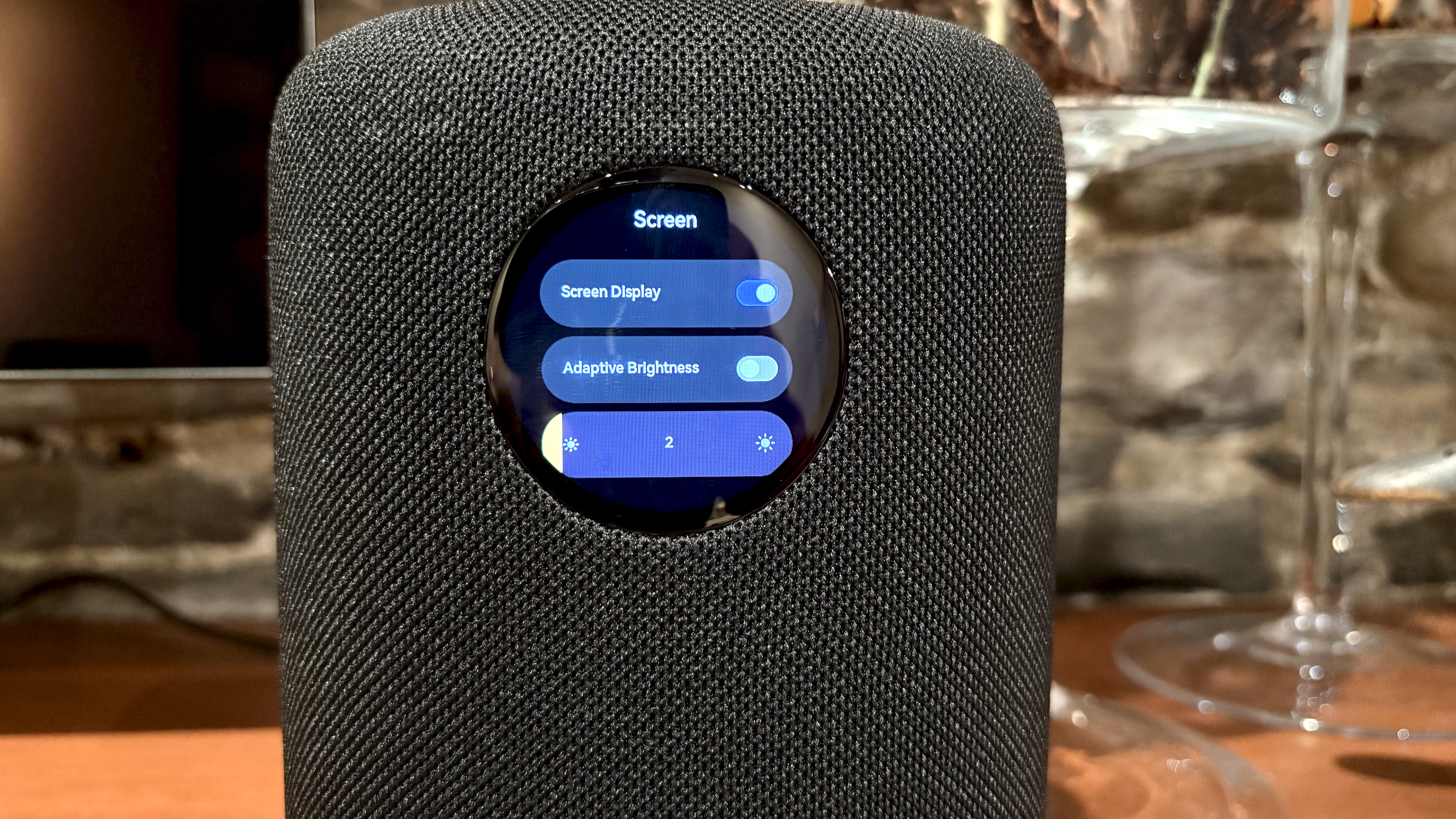
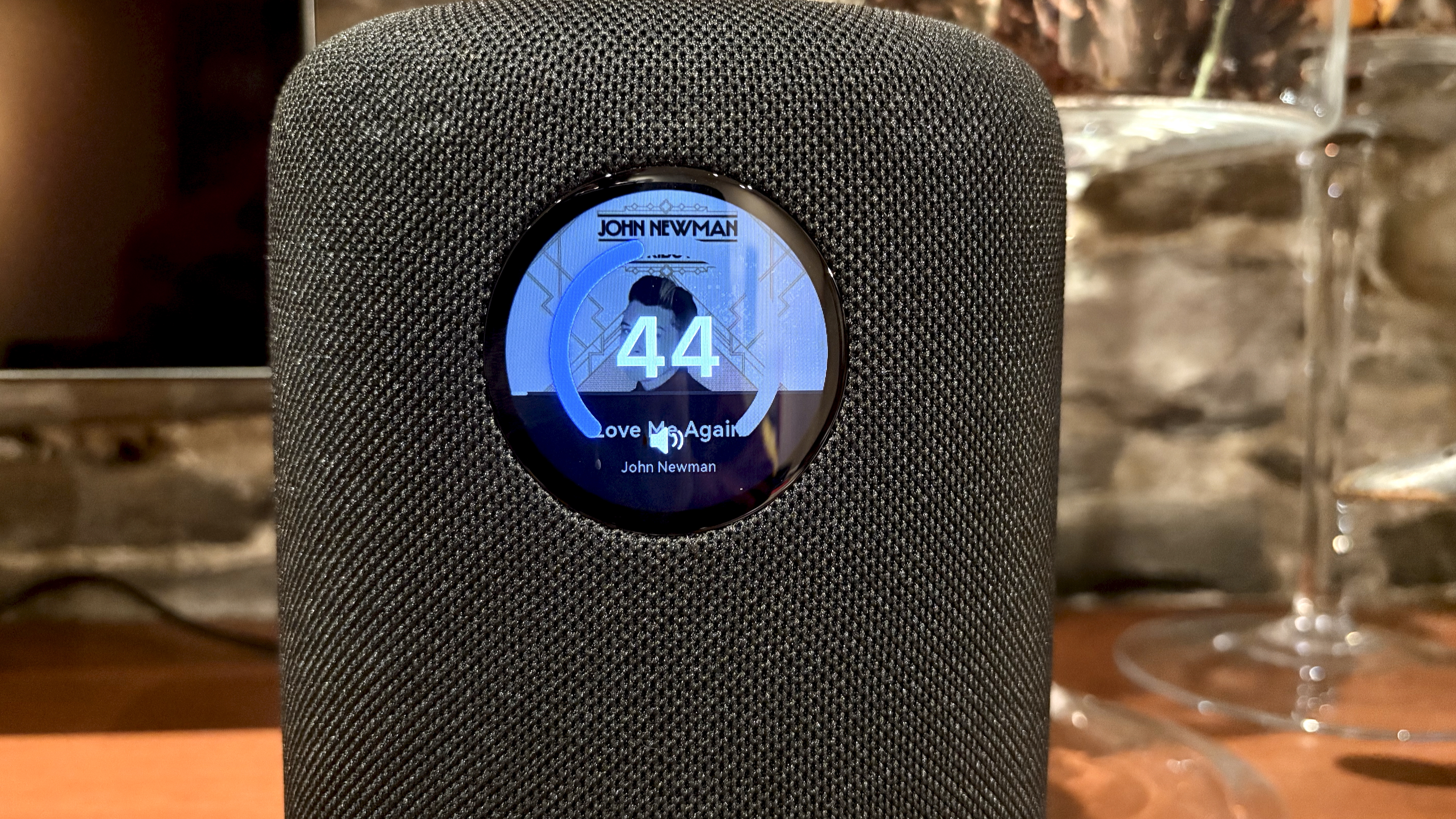
The most recognizable aspect of the WiiM Sound is its circular touchscreen. It’s a vibrant gem that looks way better in real life than in these images, and I love the option of having a clock face when the speaker isn’t in use. Design-wise, circles are lovely, but as Apple rightly identified with the Apple Watch, sometimes circles aren’t great for user interfaces.
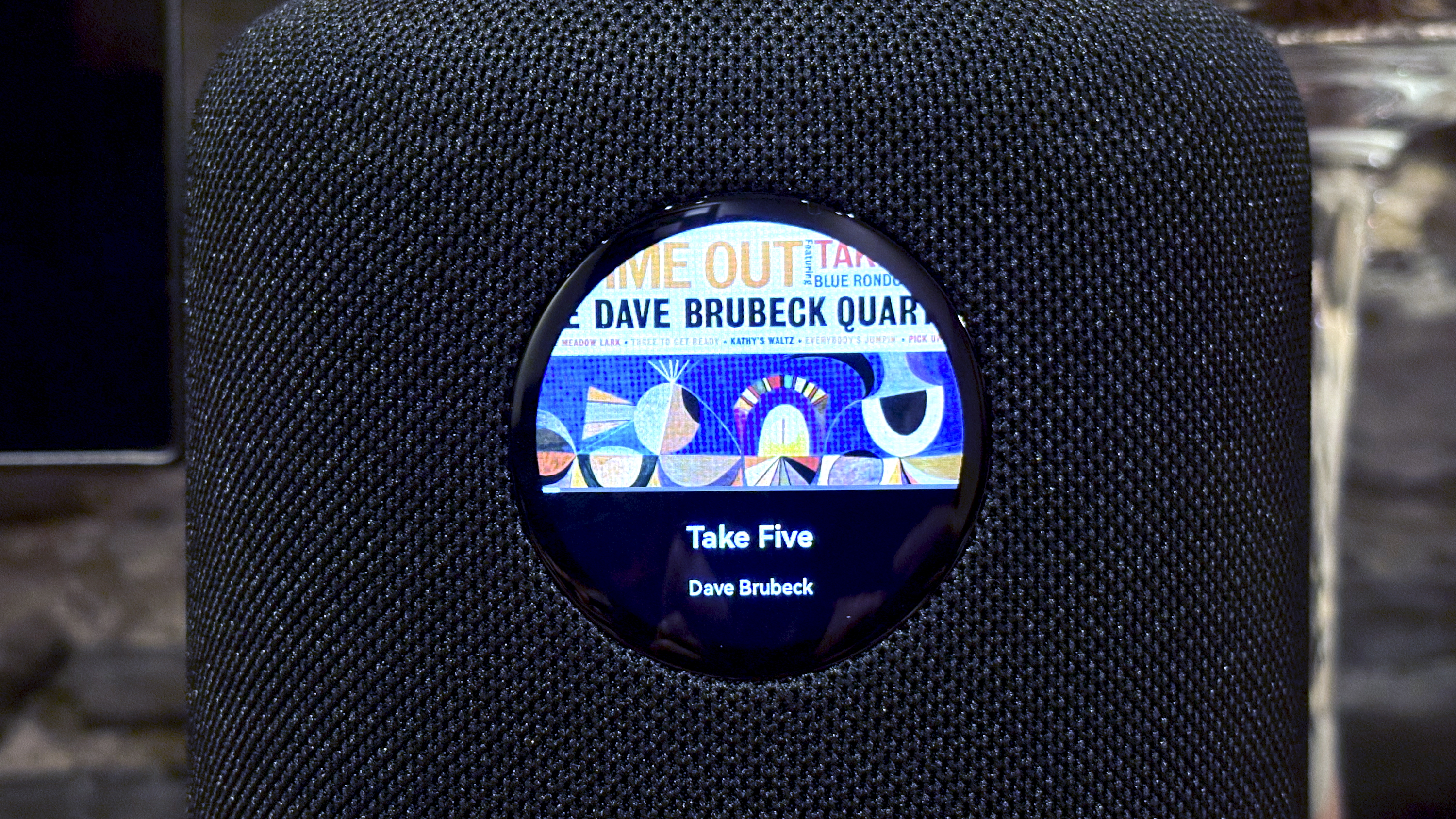
Album art, the thing most folks will want to display while streaming, is always square, which means some of the image is usually hidden. If you want to display track/album info too, you’ll see even less of that cover art.
As a touchscreen, it’s very responsive and easy to navigate, and yet, unless you place the WiiM Sound on a shelf at shoulder height, it can be awkward to use. Thankfully, all of its functions can be replicated from the WiiM Home app, and the most important controls (volume and playback) are accessible from the top touch controls and the included remote.
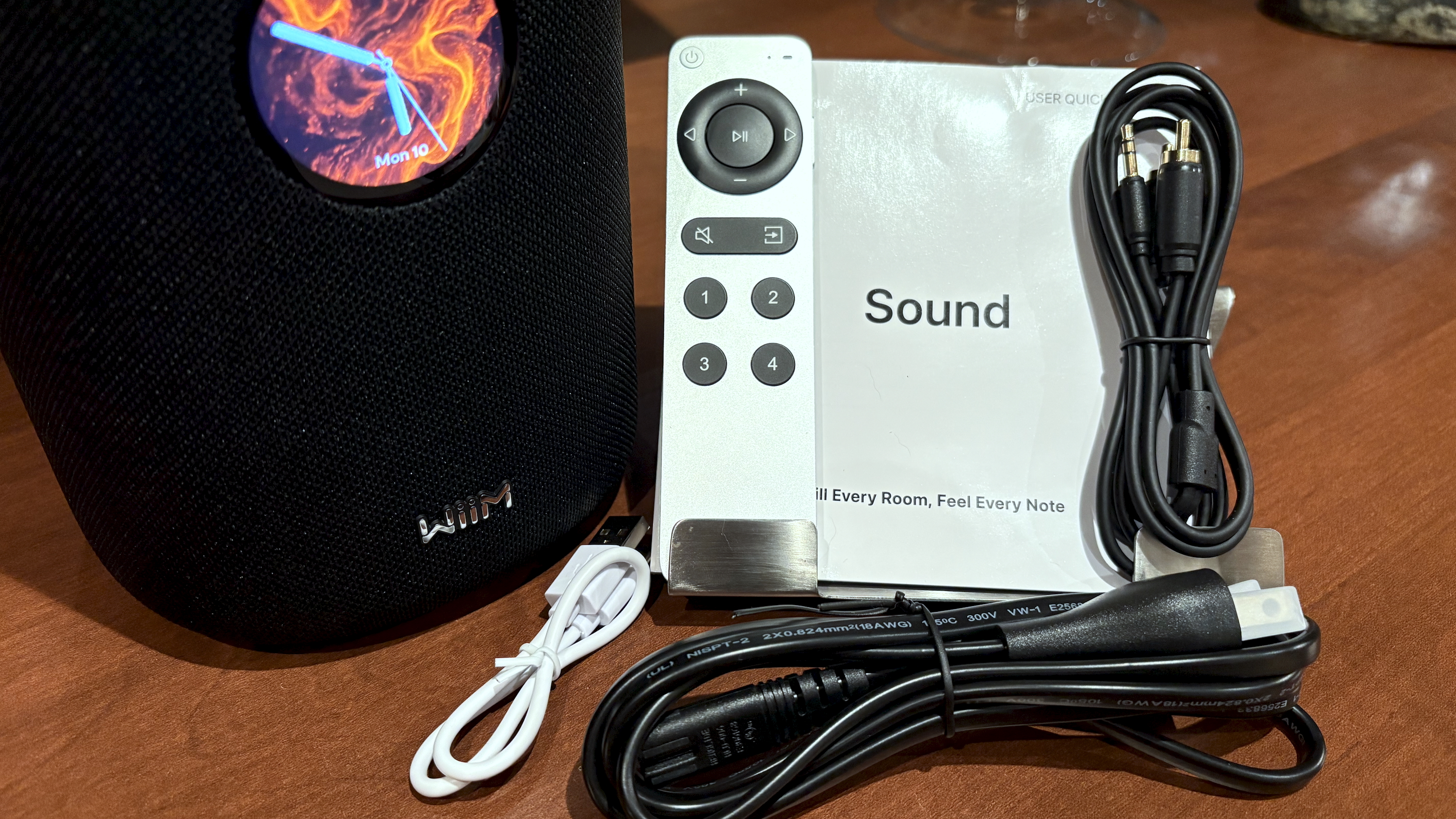
Speaking of the remote, WiiM knocked it out of the park with the WiiM Voice Remote 2 Lite, a simple and elegant rechargeable Bluetooth unit that feels great in the hand. Or should I say, Apple knocked it out of the park? The similarity to the Apple Siri Remote for Apple TV is immediately obvious. What’s less obvious is that, unlike Apple’s weighty chunk of aluminium, the WiiM version is much lighter due to its partially plastic construction. If you want more heft, you’ll need to buy the regular WiiM Voice Remote 2.
You don’t need a remote for the WiiM Sound (your smartphone does it all) unless you want to access Amazon Alexa. For reasons known only to WiiM, the WiiM Sound will work as an Alexa speaker, but it can’t hear you unless you talk into the remote’s mic.
Your room and a speaker’s position in it can heavily influence your system’s sound, which is why room correction is becoming a highly sought-after feature. The WiiM Sound’s AI RoomFit isn’t as convenient as the HomePod 2’s automatic system, but it works on both iOS and Android, something that Sonos’ TruePlay tuning still can’t do.
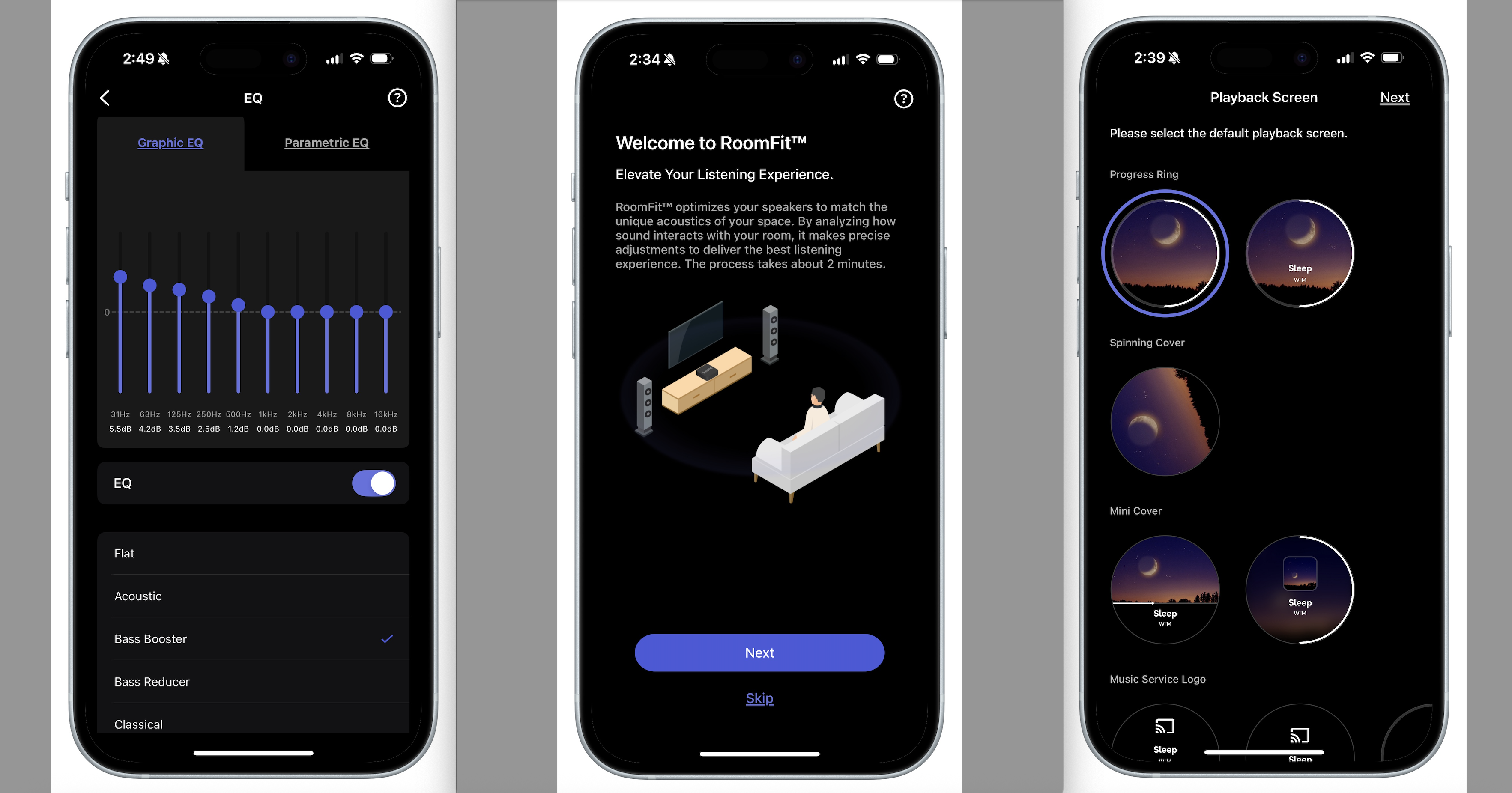
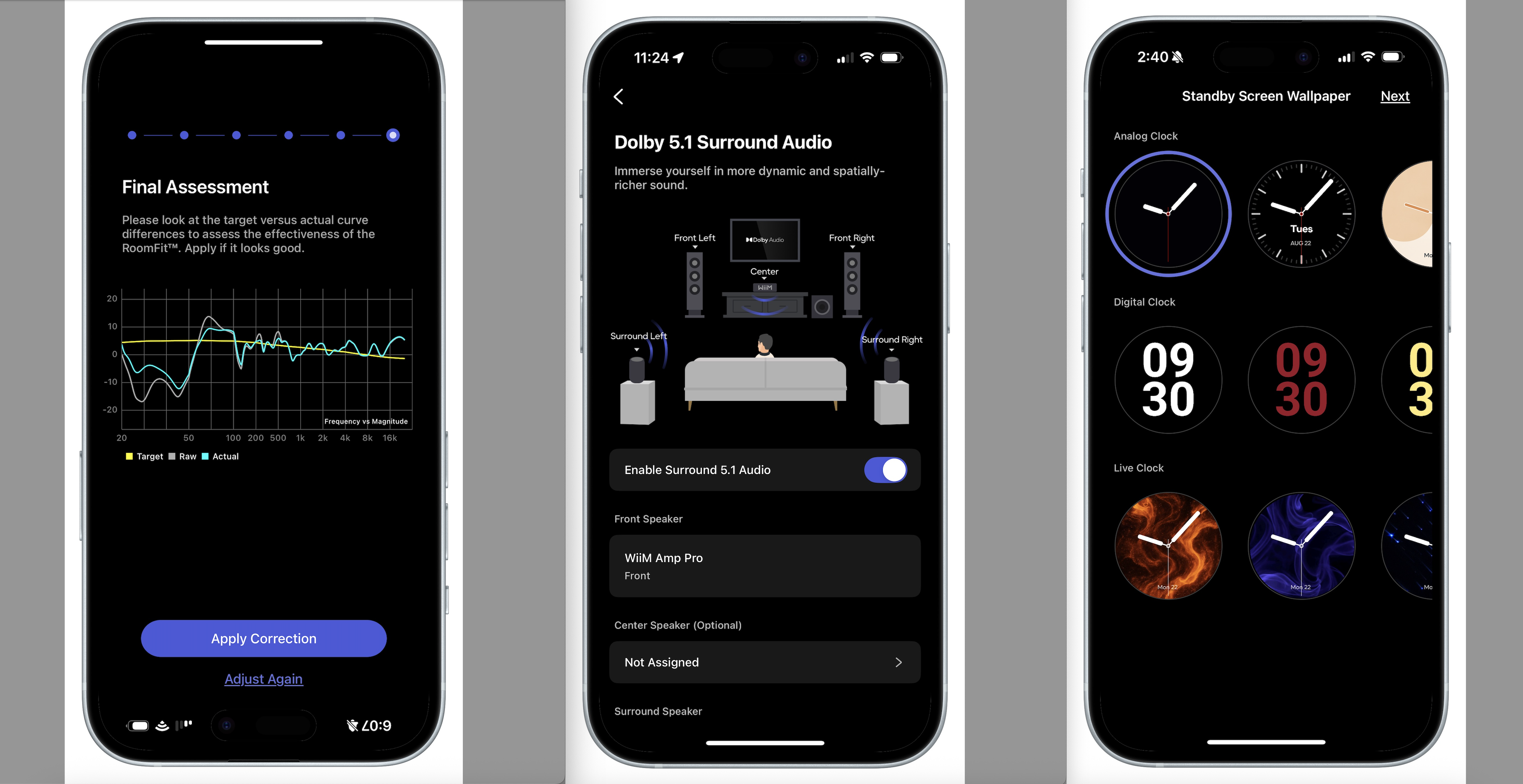
Maybe Sonos is right. I used AI RoomFit on an iPhone 16 and a Samsung Galaxy S23 Ultra, and the iPhone delivered markedly better results, bringing the WiiM Sound much closer to the target EQ curve. Still, even after using the iPhone, the change in equalization in my two test locations wasn’t night and day. The improvements are subtle – a little less boomy-ness, and a less strident upper midrange. Nothing you couldn’t achieve with a few tweaks of your own.
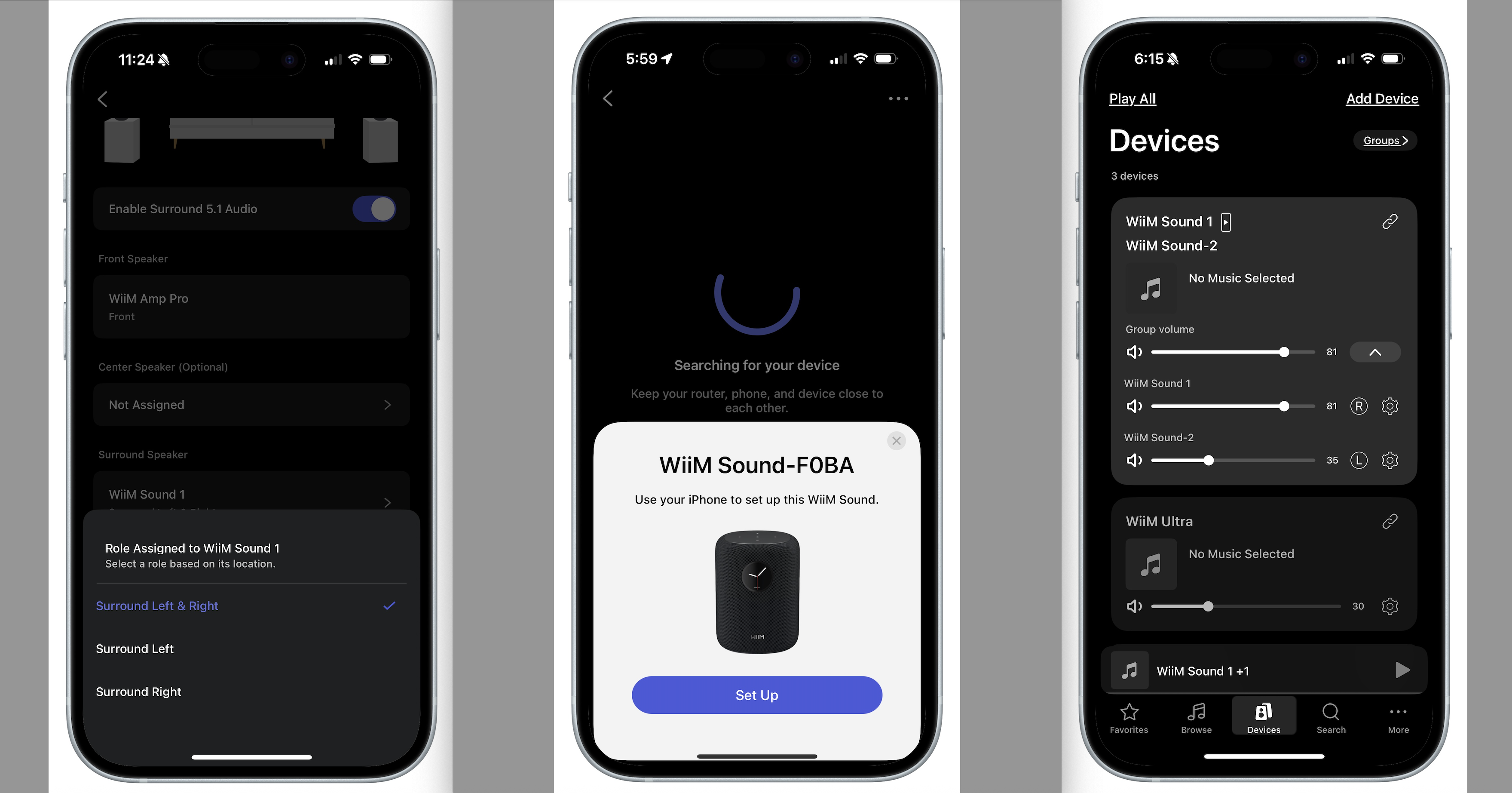
Speaking of Sonos, the WiiM Sound has one of Sonos’ best features: you can use the speaker as part of a stereo pair, or as a surround or center channel in a 5.1 system (when using a WiiM Amp Pro, WiiM Ultra, or Amp Ultra connected via HDMI ARC to your TV).
That’s the kind of flexibility I’ve come to expect from WiiM, and it makes investing in the company’s gear a better long-term play. WiiM hasn’t announced a soundbar product yet, but you can bet it will, and when that happens, I expect the WiiM Sound will be the logical rear speaker companion.
For the sake of brevity, I won’t detail all of the features in the WiiM Home app. Instead, check out my Sonos vs WiiM comparison. But know this: when it comes to software, WiiM is quickly becoming one of the best multi-room systems you can buy…
- Features score: 4/5
WiiM Sound review: Sound quality
- Full, rich sound with excellent bass response
- Technically a stereo speaker, but you won’t get true stereo sound
- Two WiiM Sounds make a great stereo pair or rear 5.1 surrounds
When Audio Pro released its A10 MKII WiiM Edition speaker, I was eager to try it out, hoping that the first WiiM-compatible wireless speaker would be a strong alternative to the Sonos One and Era 100. While the A10 MKII did well with midranges and highs, it felt lacking in the lows – a key strength of Sonos’ smallest speakers.
I was worried the WiiM Sound might suffer from the same issue, but it put my fears to rest as soon as I turned it on. This speaker is everything I’d hoped it would be sonically.
Even before adding EQ tweaks like Bass Booster mode, the Sound delivers a warm resonance that complements acoustic genres like jazz. If a bigger, more bombastic low end is your thing, WiiM’s EQ presets and manual adjustments will happily oblige. It never achieves chest-thumping levels of bass, yet for a speaker of its size, it won’t disappoint. Just be mindful that if you push bass and volume to their limits, there can be some distortion.
Midrange definition and clarity are both very good, and the highs possess a pleasing brightness without becoming sharp or sibilant. One of my favourite test tracks – Birds by Dominique Fils-Aimé – reveals the WiiM Sound’s penchant for balancing subtle vocal details with low-frequency instrumentation.
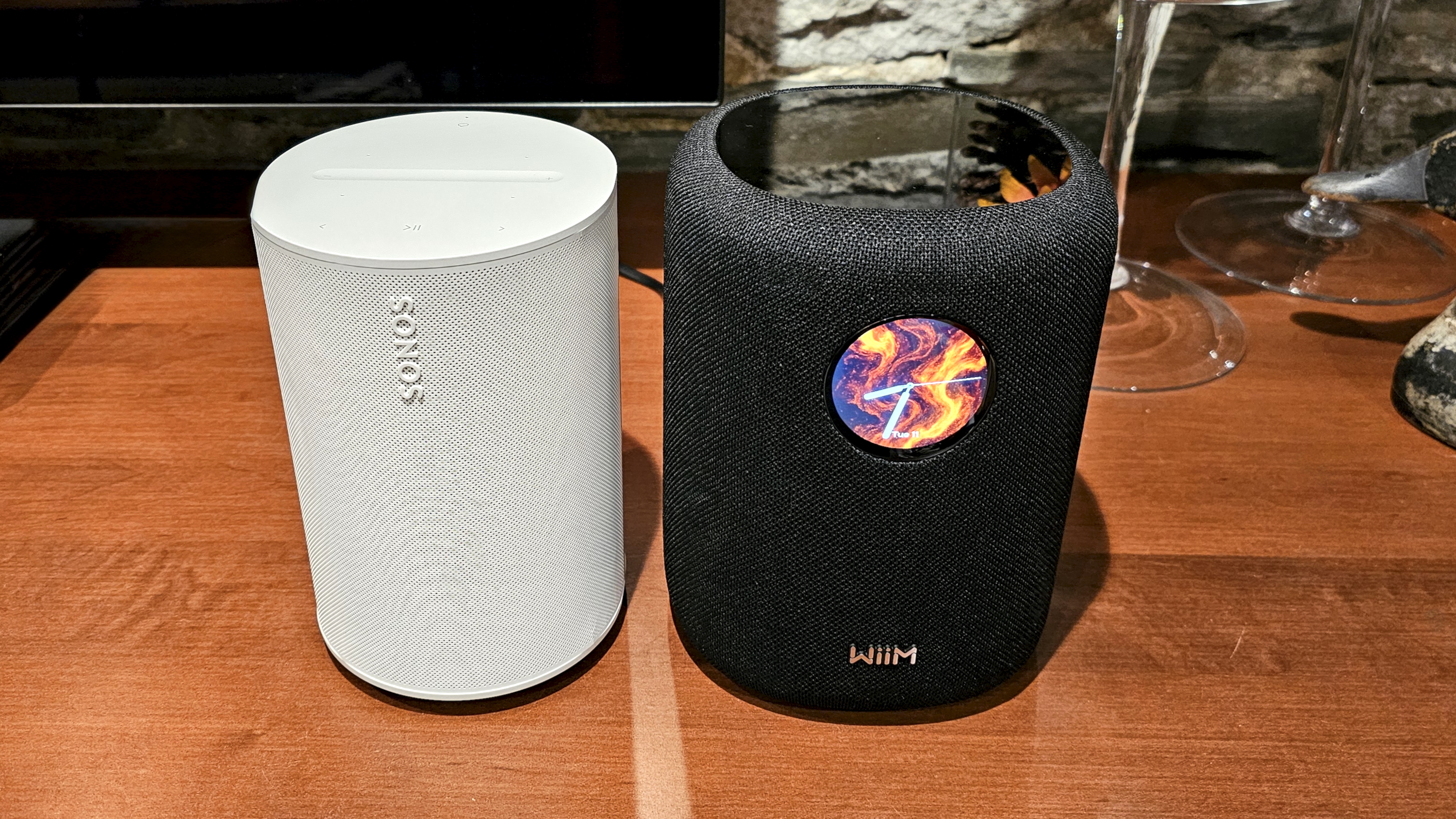
Given that the WiiM Sound uses a similar acoustic design to the Sonos Era 100, it’s no surprise that these speakers have similar sound quality. However, where the WiiM Sound offers a wider soundstage for a greater sense of immersion, the Era 100 has greater cohesion and definition, especially when you’re listening position is centered on the speaker’s main axis. For more casual listening, or if you’re moving about your space, these two speakers sound very close to one another.
Stereo-pairing a set of WiiM Sounds is a treat, as it almost always is when dealing with great wireless speakers. However, WiiM’s software hasn’t quite caught up to Sonos on this feature. Grouping the two speakers and selecting their left/right channels is a breeze, but if you’ve enabled any kind of EQ tweaks or room correction on these units, there’s no way to synchronize these settings. WiiM says this is coming in the next month or so.
Being able to use the WiiM Sound as 5.1 surround channels is a lot of fun. Using a WiiM Amp Pro, a wired sub, and two bookshelf speakers, the WiiM Sounds provided a flexible and immersive experience, even for downmixed Dolby Atmos soundtracks. The same stereo pairing software caveats apply, however, so care will need to be taken in the settings for each device.
- Sound quality score: 4.5/5
WiiM Sound review: Design
- Larger than similar speakers
- Fun display
- Matches most decor
At first glance, the WiiM Sound is immediately recognizable by its built-in circular touchscreen. Now that Bose no longer makes its Home Speaker 500, the WiiM Sound is unique. It’s an eye-catching feature guaranteed to be a conversation piece when friends and family come over. I’m not going to lie: despite the fact that it’s completely unnecessary, I kinda love it.
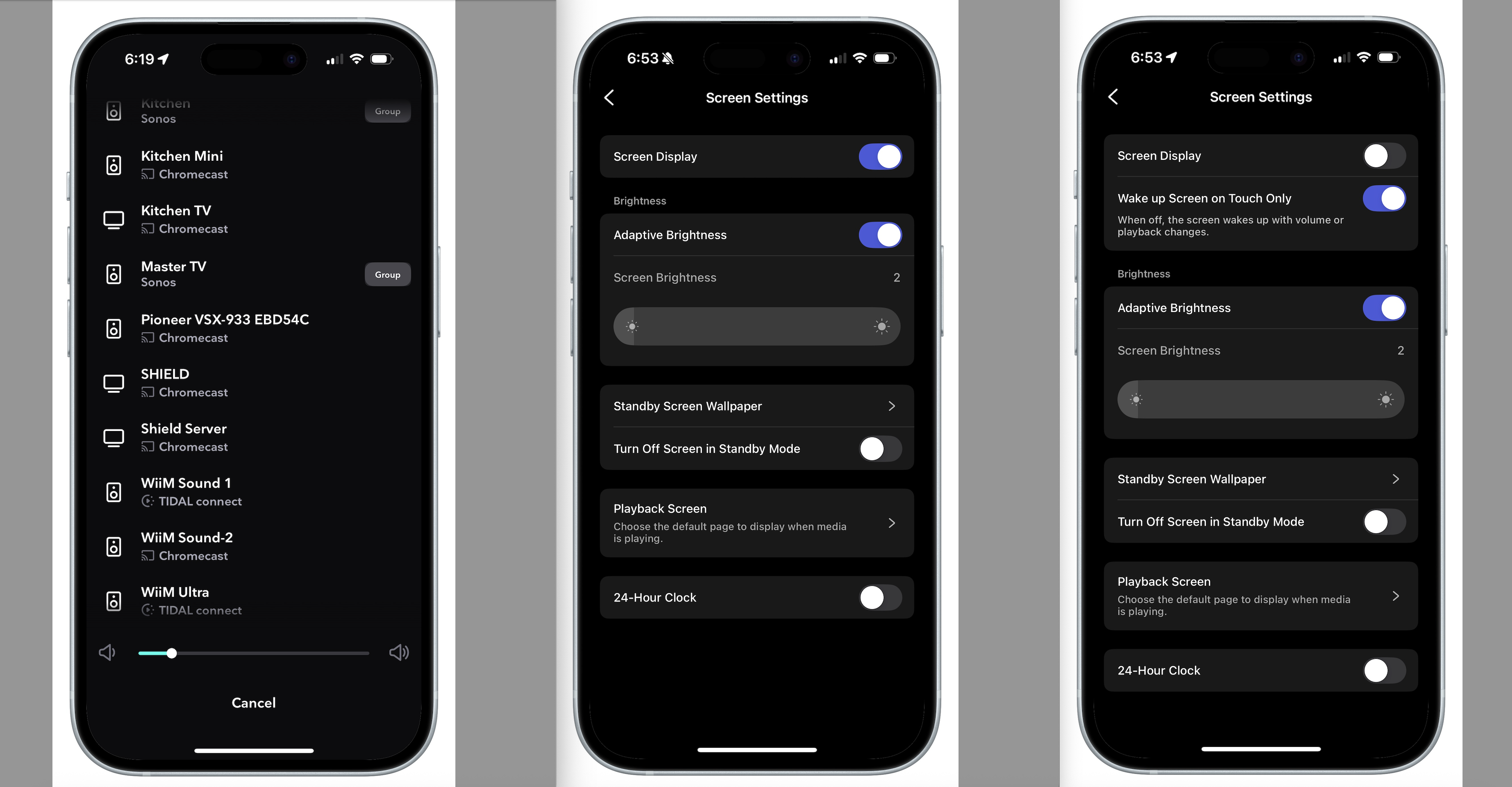
You get a variety of display choices in the WiiM Home App, with more on the way, like custom wallpapers, and the brightness can be set manually or automatically according to your room’s ambient light. If you’d prefer to go distraction-free, it can also be turned off.
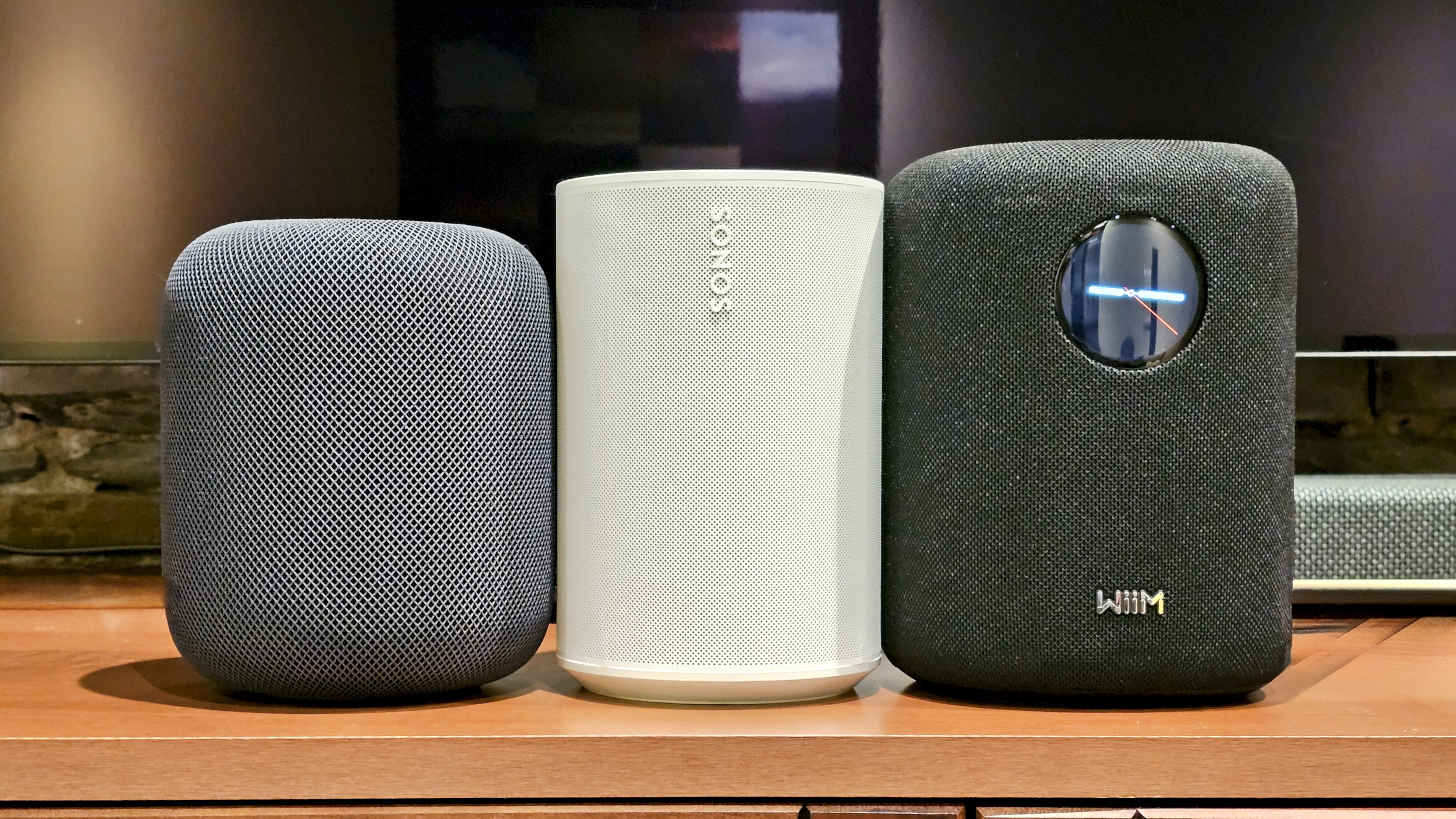
The slightly squarish, fully fabric-wrapped body (available in black, seen here, and white) should work with almost any decor. It's a wee bit taller than the Sonos Era 100, and a full inch taller than the HomePod 2. That shouldn’t be a problem for placement – you’ll likely be able to put it anywhere you’ve got an available power outlet.
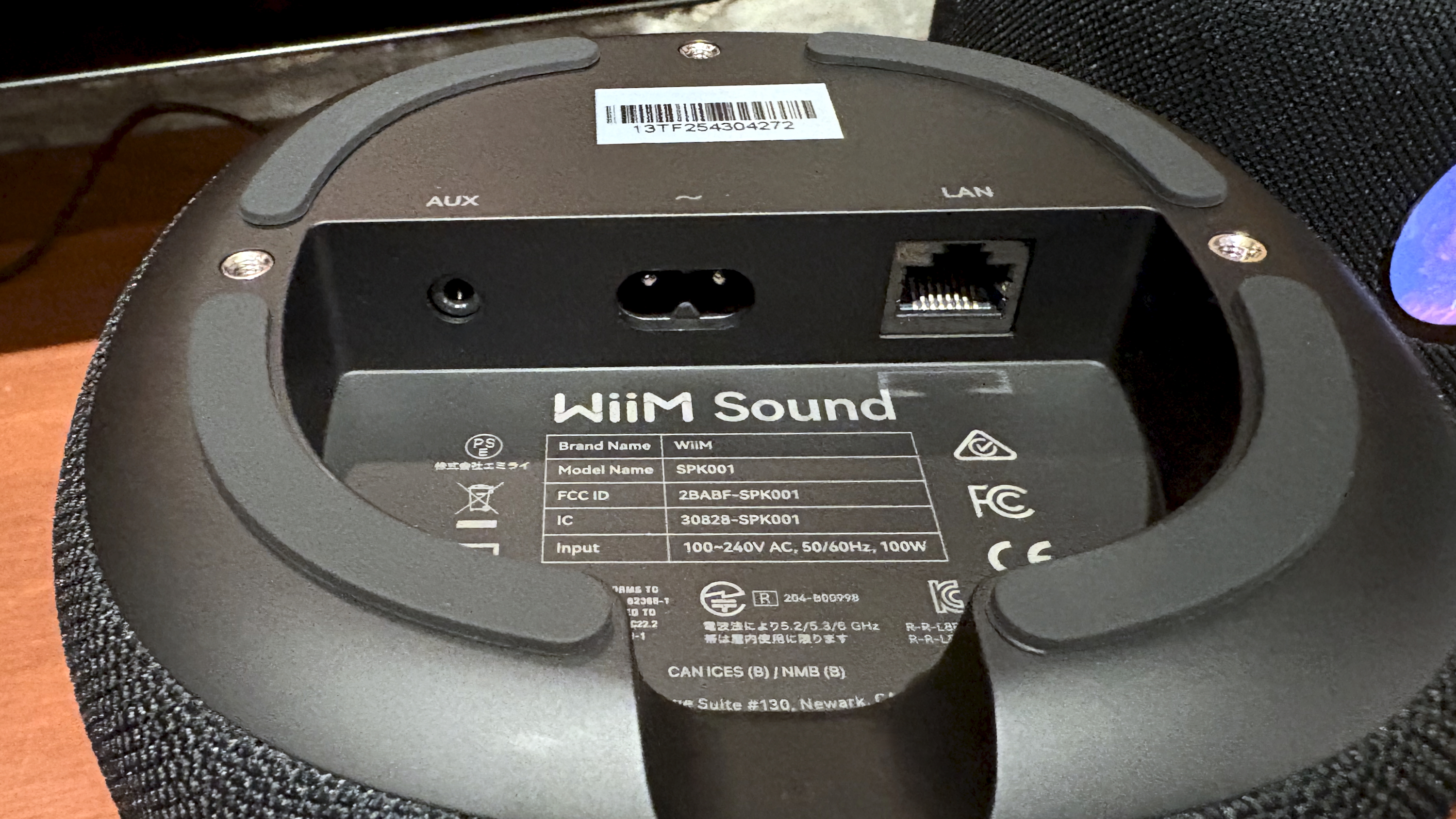
Including a 3.5mm AUX input was a smart choice on WiiM’s part, since Sonos didn’t do it on the original Play:1 or the subsequent Sonos One. Even the Era 100, which can support analog, requires an optional adapter. However, I’m less crazy about the port’s placement, which is under the speaker, beside the power and Ethernet jacks. I acknowledge that putting it on the rear of the speaker wouldn’t look as good, but I think it would be worth it for the added convenience.
Most folks will likely use the WiiM Sound on a tabletop or counter, but you can also buy wall-mounts. At publication time, I haven’t seen them yet and don’t know the price.
As I mentioned above, the included remote is a really nice touch and, unlike some other remotes I’ve seen, it doesn’t feel like an afterthought.
- Design score: 4.5/5
WiiM Sound review: setup and usability
- WiiM Home App is powerful but still missing some features
- Touch controls work well
- …It's just too bad that voice control needs the remote
Getting the WiiM Sound set up is as easy as opening the WiiM Home app, plugging the speaker into power, and then waiting a few seconds for the app to detect the speaker. Once it has, you’re less than a minute away from being able to stream music from sources like Spotify and Tidal, and it only takes a few extra minutes to add Google Cast and sign into the music services supported within the app.
While music service support is good, it’s nowhere near as comprehensive as Sonos. You get most of the big names: Amazon Music, Tidal, Deezer, YouTube Music, Qobuz, Pandora, plus TuneIn, Plex, BBC Radio, and some lesser-known options. What you don’t get is Apple Music, and Spotify only works when you use the Spotify app (via Spotify Connect).
The app also guides you through the optional RoomFit tuning process and helps you sign into Amazon to set up Alexa on the WiiM Sound. Except for a hiccup on Amazon’s end, it was very straightforward and easy to do.
WiiM’s universal search quickly locates any music you have access to, including your personal collection if you have a DLNA server set up (super easy to do via Plex or Twonky) or a shared folder on a PC or NAS.
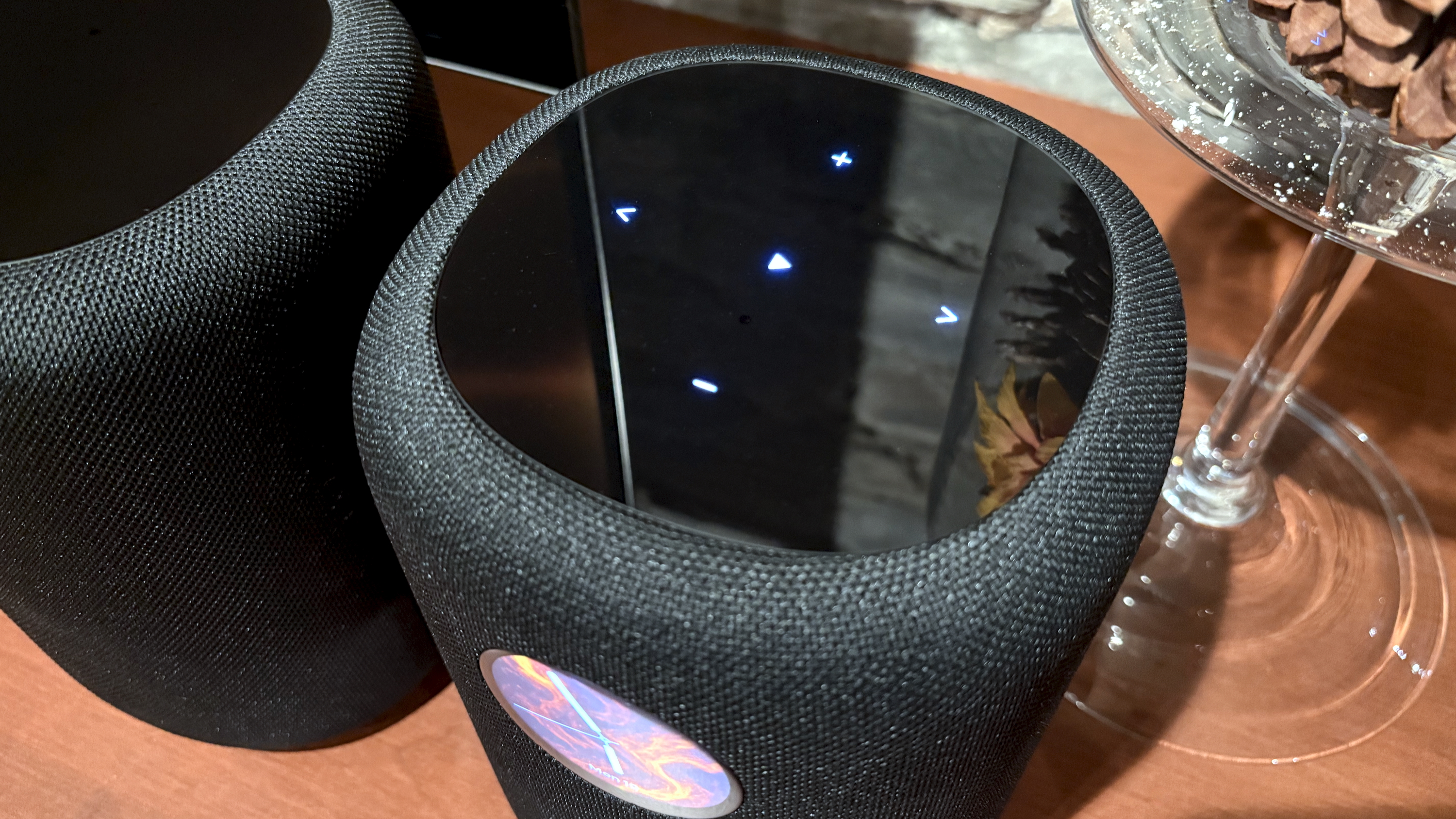
On the speaker itself, the top controls illuminate automatically when your hand approaches. That’s a slick feature, and it works well, but it would be nice to have them always on.
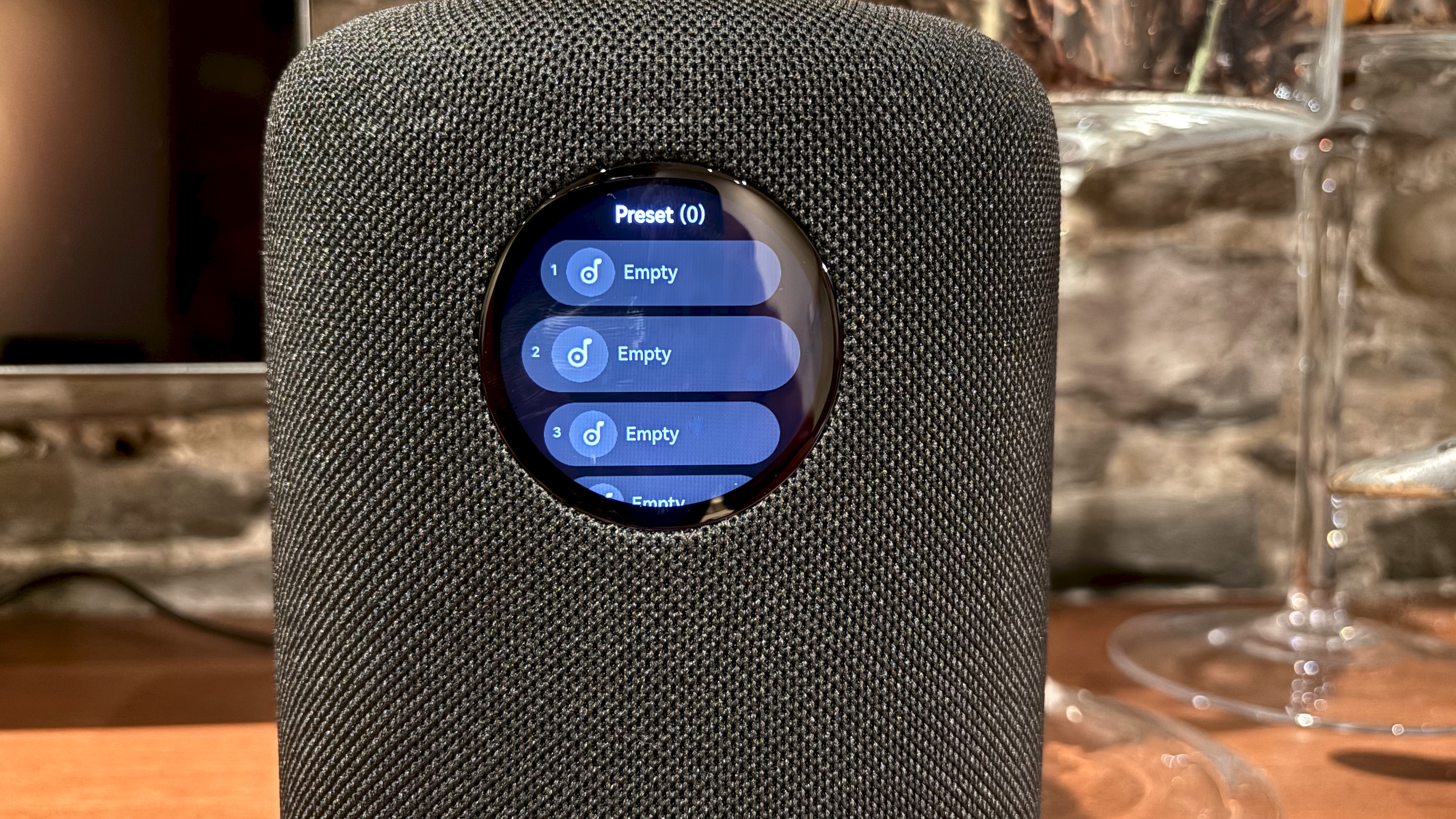
Now, about that touchscreen. The reason I said it’s completely unnecessary is that it replicates features that are more easily accessible from the WiiM Home app. It’s easy enough to navigate, but other than changing EQ settings and accessing presets, there isn’t that much you can do. Critically, you can’t browse for something to play – there’s no access to your streaming sources – and WiiM chose not to include the radio shortcut that comes with the WiiM Ultra.
If you’re using the WiiM Home app to manage a single device, like the WiiM Sound, the features work much as you’d expect: You can control the playback queue, select favorites, and create playlists. WiiM’s presets feature is particularly powerful, letting you not only assign a track, album, or playlist to an available slot, but you can also use presets as shortcuts. For example, if you regularly wanted to play vinyl via the Sound, you could set a preset to switch to the line-in input, enable an EQ preset, and pick a specific volume level that’s different from the Wi-Fi level.
The tricky part comes when you add additional WiiM devices to your system. Each new streamer or speaker is treated individually in the sense that all of your streaming accounts must be added again, Google Cast must be enabled, and if the device supports Amazon Alexa, you’ll need to sign in to use it.
Playlists can also be confusing since, unlike in Sonos, they aren’t universal. In other words, playlists are content-sensitive: Tidal tracks can only be added to Tidal playlists, your personal music can only be grouped with other tracks in your library, and in some cases, like Amazon Music, you can’t save items to playlists at all. The same is true for favourites.
The only place you can mix and match content from different sources is in the presets list for each device, as each preset can trigger any audio accessible from within the WiiM Home app.
While the WiiM Home app may not be as playlist- and favorite-friendly as Sonos, it more than makes up for it with its reliability and huge selection of advanced options for power users. Interactions within the app, like changing volume, grouping/ungrouping of devices, and playing/pausing/skipping of tracks, are all snappy.
If you find that your system isn’t performing as you’d expect, there are adjustments you can make. Mesh Wi-Fi users, for instance, have the option of forcing a WiiM device to connect to a specific access point instead of roaming for signals, which can improve network reliability.
- Setup & Usability score: 4/5
WiiM Sound review: Value
- More expensive than Sonos
- But also more full-featured
- Worth it for WiiM fans
At $299, the WiiM Sound is $80 more than the Sonos Era 100, arguably its closest competitor. Given that these two speakers have very similar sound signatures, and both exist as part of a larger, multi-room wireless ecosystem, WiiM’s speaker is a costlier option. Still, WiiM offsets its higher price with more features, like an included remote, a built-in auxiliary analog input, and of course, that eye-catching touchscreen.
For WiiM fans looking to build out their multi-room systems, the WiiM Sound is an excellent choice, with better performance than the similarly WiiM-compatible AudioPro Addon A10 MKII WiiM Edition.
The only thing that keeps this smart speaker from a perfect value score is its lack of on-device, hands-free voice commands, something that most competitive models from Sonos, Apple, Amazon, Google, and Denon offer as a standard feature.
- Value score: 4/5
Should you buy the WiiM Sound?
Swipe to scroll horizontally
Features | The only thing missing is AirPlay and hands-free voice commands | 4/5 |
Sound quality | Clear, powerful sound with excellent bass response and tons of EQ controls | 4.5/5 |
Design | Simple and elegant, with a gem of a built-in display | 4/5 |
Setup & Usability | A cinch to set up and use, though Sonos fans may find the WiiM Home app lacks some features they’re used to | 4/5 |
Value | As long as you’re not looking for a true smart speaker you can talk to from across the room, there’s a lot here to love | 4/5 |
Buy it if…
You’re looking for a Sonos alternative
It’s no secret that some Sonos users are unhappy with the company’s latest software, and have been looking at WiiM as an alternative. With the exception of the WiiM Sound’s lack of hands-free voice commands and Apple AirPlay, it’s a great way to start a WiiM system.
You’re already all-in on WiiM
If you own one or more of the company’s streamers and have been waiting for a compatible wireless speaker, the WiiM Sound is an excellent choice for expanding your system.
Don't buy it if…
You’re an iPhone-wielding Apple Music user
With no in-app support for Apple Music and no AirPlay, iPhone owners will only be able to stream Apple Music via Bluetooth – a lossy wireless connection. It will still sound good, but that’s not why we invest in Wi-Fi speakers, especially ones capable of 24-bit lossless audio.
You need a true smart speaker
Having a Sonos Era 100 with Amazon Alexa in the kitchen has been super handy. But would I use Alexa if I had to keep reaching for a remote? Nope. And yet that’s how Alexa works on the WiiM Sound. To use the speaker hands-free, you’ll need an Amazon Alexa or Google Assistant speaker somewhere else nearby.
WiiM Sound review: Also consider
Swipe to scroll horizontally
Price | $299 / £299 / AU$499 (approx) | $449 / £449 / AU$749 | $299 / £299 / AU$479 | $249 / £249 / AU$399 |
Speaker drivers | 2x tweeters, 1x woofer | 4x tweeters, 2x woofers | 5x tweeters, 1x woofer | 2x tweeters, 1x midwoofer |
Amplification | 3x Class D amps | 6x Class D amps | Not listed | 3x Class D amps |
Dimensions | 5.7” x 5.7” x 7.5” (146 x 146 x 193 mm) | 6.30 x 10.24 x 7.28 in / 160 x 260 x 185 mm | 5.6 x 6.6 x 5.6 in / 142 x 168 x 142 mm | 4.72 x 7.18 x 5.14 in (120 x 183 x 131 mm) |
Connectivity | Wi-Fi 6E, Bluetooth 5.3 (transmit and receive), 3.5mm line-in, 100 Mbps Ethernet | Wi-Fi 6, Bluetooth 5.0, USB-C (3.5mm line-in and Ethernet via adapter) | Wi-Fi (802.11n), Bluetooth 5.0 (not audio) | Wi-Fi 6, Bluetooth 5.0, USB-C (3.5mm line-in and Ethernet via adapter) |
Streaming support | WiiM Home app, DLNA, Google Cast, Tidal Connect, Spotify Connect, Roon Ready | Sonos app, Apple AirPlay 2 | Apple AirPlay 2 | Sonos app, Apple AirPlay 2 |
Voice assistant support | Amazon Alexa (via Voice Remote), compatible with Google Assistant | Alexa, Sonos Voice Control | Siri | Alexa, Sonos Voice Control |
Other features | Room Correction, WiiM multi-room control, WiiM 5.1 home theater, and stereo pair options, hi-res audio up to 24-bit/192kHz | Dolby Atmos support, Sonos multi-room control, Sonos home theater option, stereo pair option | Dolby Atmos support, Thread/HomeKit smart home hub, auto-calibration, stereo pairing option, Apple TV home theater option | Sonos multi-room control, Sonos home theater option, stereo pair option |
Sonos Era 100
The obvious choice for folks who want a great-sounding smart speaker that can work alone or as part of a coordinated whole-home wireless multi-room sound system.
See our in-depth Sonos Era 100 review for more.
Apple HomePod 2
While not as fully featured or as affordable as the Sonos Era 100, it sounds great and works brilliantly with all of Apple's devices, and of course, Apple Music.
Here's our full HomePod 2 review.
Denon Home 150
Less expensive than the WiiM Sound and a fair bit older, yet it's chock full of features including hi-res audio, built-in Amazon Alexa, USB storage access, and an analog input.
Consult our Denon Home 150 review to see if it's right for you.
WiiM Sound review: How I tested
- Received two review samples
- Tested individually, in a stereo pair and with the WiiM Amp Pro
- Tested using calibration software – and without it
I received two WiiM Sound speakers and set them up as individual units, as well as in stereo-pair and surround sound configurations with a WiiM Amp Pro. I calibrated both speakers using the WiiM RoomFit tuning feature and compared the before and after results.
I tested both the top touch controls and the circular touchscreen for responsiveness and ease of use.
I streamed audio to them from third-party apps including Tidal, Qobuz, and Amazon Music to test features like Tidal Connect and Google Cast, and I also signed into these services from inside the WiiM Home app to see how they performed when used natively. I used the WiiM Home app on both iOS (iPhone 16) and Android (Samsung Galaxy S23 Ultra).
During these sessions, I sampled a variety of genres, such as jazz, rock, classical, and hip-hop, and then repeated the process on the Sonos Era 100 and Apple HomePod 2 to hear how the WiiM Sound compared.
When using the WiiM Sound in surround mode, I played a variety of test clips in 5.1, stereo, and Dolby Atmos to hear how the speakers handled immersive rear channel effects.
You can read TechRadar's review guarantee here.
- First reviewed: December 2025







 English (US) ·